Best Health and Safety App for Seniors: How to Choose One That Supports Independent Living
Choosing the right technology for aging parents can feel overwhelming. Families want their loved ones to stay healthy, safe, and independent, but managing medications, monitoring daily routines, and preparing for emergencies often requires several different tools.
A health and safety app for seniors can simplify these responsibilities by combining wellness management, family connectivity, and emergency assistance in one place.
Instead of relying on separate applications, families can explore connected solutions such as the mySeniorCareHub Family Safety and Wellness App, which brings together practical tools for everyday senior care.
But which features matter most, and how do you choose an app that fits your family's needs?
What Is a Health and Safety App for Seniors?
A health and safety app for seniors is a mobile application that supports older adults with everyday wellness routines, family communication, and personal safety.
Depending on the platform, these applications may include medication reminders, health tracking, location sharing, emergency assistance, and family notifications.
The best option is not necessarily the app with the most features. It is the one that addresses an older adult's needs while remaining easy to use.
For families supporting aging parents, an integrated app can offer greater convenience than managing several disconnected tools.
8 Essential Features to Look for in a Senior Health and Safety App
1. Medication Reminders for Better Daily Organization
Remembering medication schedules can become challenging, especially when older adults take several prescriptions.
A medication reminder feature helps users organize schedules and receive timely notifications.
This can support consistent routines and reduce the need for family members to repeatedly call about medication times.
However, reminders cannot confirm that medication was taken and should complement professional medical guidance.
2. Vital Monitoring for Everyday Health Awareness
Health monitoring tools help older adults review available wellness measurements and become more involved in managing their health.
Depending on compatible devices, these features may provide information about certain vital measurements.
Families can use relevant information to support discussions with healthcare professionals.
However, consumer wellness tracking should not replace clinical monitoring, diagnosis, or medical treatment.
3. Sleep and Activity Tracking for Healthier Habits
Maintaining appropriate activity levels and healthy sleep routines is an important part of aging well.
A senior wellness app with sleep and activity tracking can help users understand everyday patterns.
For example, an older adult may review activity information to identify changes in their usual movement routine.
Sleep tracking can also provide additional context about rest habits.
These features support wellness awareness rather than medical diagnosis.
4. Daily Safety Check-Ins for Family Reassurance
Families often worry about aging parents who live alone, especially when they cannot reach them immediately.
A daily safety check-in allows older adults to confirm their everyday well-being through a simple routine.
Instead of relying entirely on repeated phone calls, families can establish a predictable check-in schedule.
This supports communication while respecting an older adult's independence.
A completed check-in confirms participation at that moment, not continuous safety.
5. GPS Location Tracking for Independent Activities
Older adults should be able to enjoy shopping, walking, attending appointments, and visiting friends independently.
GPS location tracking helps authorized family members stay informed about an older adult's location.
With appropriate consent, families can review available location information without constantly requesting updates.
However, GPS tracking cannot determine a person's medical condition or guarantee their safety.
6. Family Sharing for Connected Caregiving
When multiple relatives support an aging parent, communication can become complicated.
Family sharing and notification features help authorized members access relevant safety and wellness updates.
This can make it easier to coordinate responsibilities and discuss everyday care needs.
Health data sharing may also support conversations about available wellness information.
Privacy settings and consent should guide which information family members can access.
7. AI Health Assistance for Everyday Questions
Older adults and caregivers often have questions about wellness routines, health information, and available technology.
AI-powered assistance can make general information easier to access.
For example, mySeniorCareHub includes Kiara, an AI Health and Care Companion designed to help users explore health and care-related information.
However, AI assistance should not replace professional medical advice, diagnosis, or emergency services.
8. Emergency SOS and Professional Dispatch Support
Emergency assistance is an important consideration when choosing a senior safety app.
SOS functionality provides a way for older adults to request help during unexpected situations.
Some premium services also offer professional emergency dispatch.
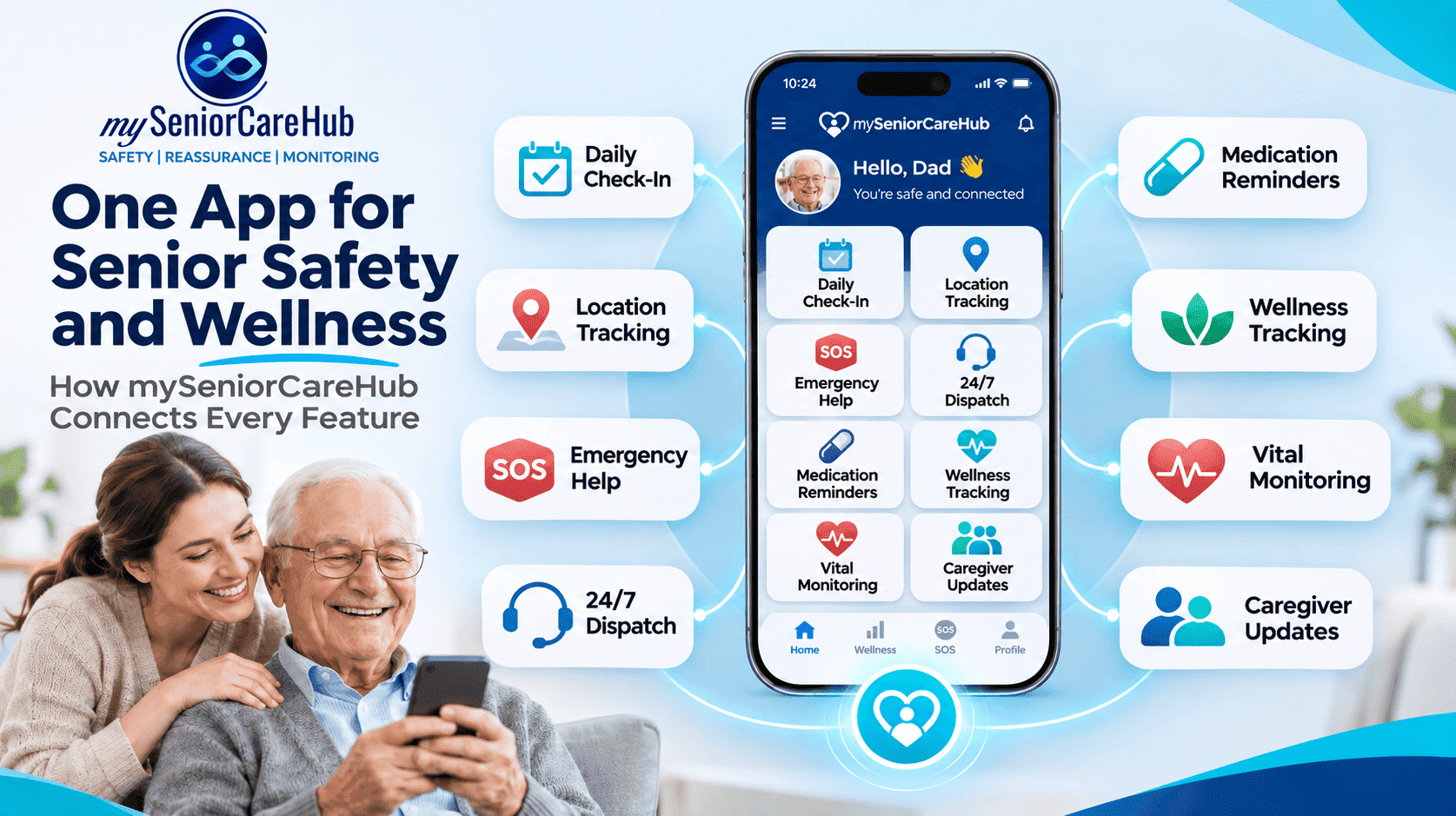
mySeniorCareHub's core Family Safety App focuses on Daily Check-In, Location Tracking, Emergency Help, and 24/7 Dispatch through eligible membership plans.
Its broader connected device ecosystem also includes compatible fall detection technology.
Families should confirm which emergency features require additional subscriptions or devices.
How Do Health and Safety Features Work Together?
An integrated app becomes more useful when its features support different parts of an older adult's day.
Managing prescriptions becomes easier with medication reminders that support organized schedules. Vital monitoring encourages awareness of available health measurements, while sleep and activity tracking provide information about daily habits.
Daily safety check-ins help families maintain communication, and GPS location tracking supports authorized location awareness when older adults go outside independently.
Family sharing helps relatives coordinate care, while AI health assistance makes general information more accessible. During unexpected situations, emergency SOS and eligible dispatch services provide additional options for requesting help.
The goal is not to monitor every activity but to make useful information and support available when needed.
How to Choose the Right Senior Health and Safety App
Before subscribing, families should evaluate several practical factors.
Ease of use: Choose an app with clear navigation and features your aging parent feels comfortable using.
Relevant capabilities: Prioritize everyday needs such as medication reminders, safety check-ins, or emergency assistance.
Privacy and consent: Confirm how location information and health updates are shared.
Device compatibility: Check whether specific features require compatible smartphones or wearable devices.
Subscription requirements: Review monthly pricing, emergency dispatch availability, and any additional charges.
Family accessibility: Consider whether authorized relatives can access relevant information when needed.
These considerations can help families choose technology that supports independence rather than creating unnecessary complexity.
Why Consider mySeniorCareHub for Senior Health and Safety?
mySeniorCareHub combines family safety and broader wellness capabilities within one connected platform.
Its core Family Safety App provides Daily Check-In, Location Tracking, Emergency Help, and eligible 24/7 Dispatch support.
Additional wellness capabilities include medication reminders, vital monitoring, sleep and activity tracking, family sharing, health data sharing, and Kiara AI.
For families comparing senior health and safety apps, this integrated approach may reduce the need to manage several separate applications.
However, the right solution depends on individual health needs, technology preferences, and emergency support requirements.
Frequently Asked Questions
What is the best health and safety app for seniors?
The best app depends on the older adult's needs. Families should compare medication reminders, health tracking, daily check-ins, location sharing, emergency assistance, and ease of use.
Can a senior health and safety app help older adults live independently?
Yes. Appropriate apps can support everyday routines, family communication, and emergency preparedness while allowing older adults to maintain independence.
Does mySeniorCareHub include health monitoring and medication reminders?
Yes. Its broader wellness platform includes vital monitoring, medication reminders, sleep and activity tracking, and health data sharing.
Can family members monitor senior safety remotely?
Authorized family members can use supported location sharing, daily check-ins, and notification features, depending on permissions and connectivity.
Do senior health and safety apps replace medical alert devices?
Not necessarily. Smartphone apps and dedicated medical alert devices may offer different emergency capabilities, accessibility, and connectivity requirements.
Conclusion
Choosing a health and safety app for seniors means finding the right balance between wellness management, family connectivity, emergency preparedness, and independence.
Features such as medication reminders, vital monitoring, daily safety check-ins, GPS tracking, family sharing, and emergency assistance can make everyday senior care more manageable.
mySeniorCareHub brings these capabilities into one connected experience, helping families stay informed while supporting older adults' independence.
Explore the mySeniorCareHub Family Safety and Wellness App to discover its features and available membership options.