
Official postWritten by noted.do itself — a notice, a rule change or an announcement.An official post from noted.do, written by noted.
Meet the new Blog PublisherOfficial postWritten by noted.do itself — a notice, a rule change or an announcement.
The Blog Publisher plugin has been rebuilt. You don't need to install anything: the next time you open a note in Standard Notes, the new bar is there, with your blog still connected.
Here is what changed.
Pictures go where you want them
Type [pic] on its own line where a picture belongs. Upload the picture, describe it, and press Put it at [pic]. It lands in that spot, so there is nothing to move afterwards.
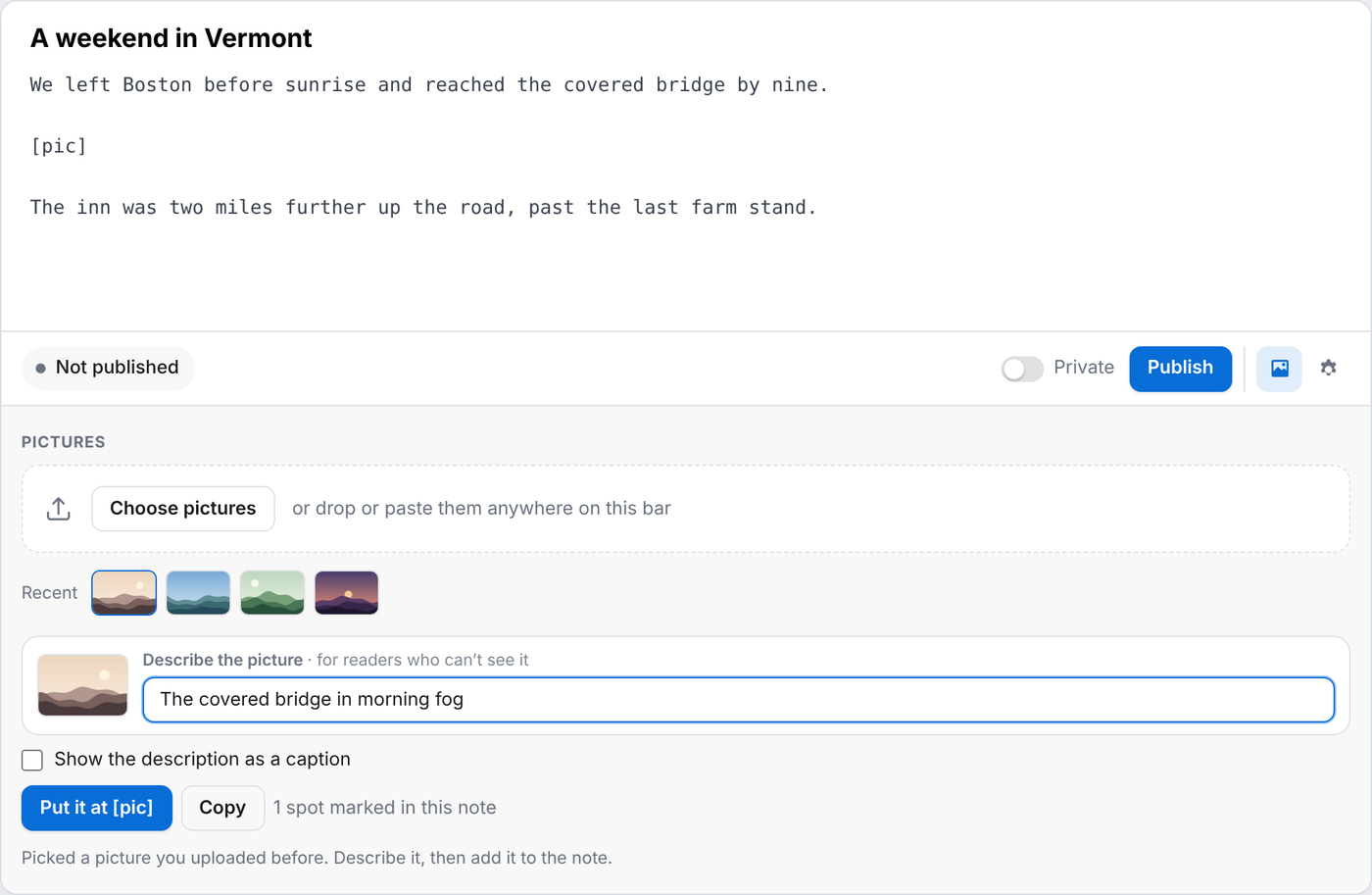
A few more things that make pictures easier:
- Drop or paste a picture anywhere on the bar. The panel doesn't need to be open.
- The description is asked for after the upload, next to a thumbnail of the picture.
- Your recent pictures sit in a row, ready to use again.
A second look before you publish
When something looks off, the plugin now tells you before the post goes out: an options block that isn't on the first line, a heading that repeats the title, a picture with no description, a picture hosted on someone else's site, or a [pic] you forgot to fill.
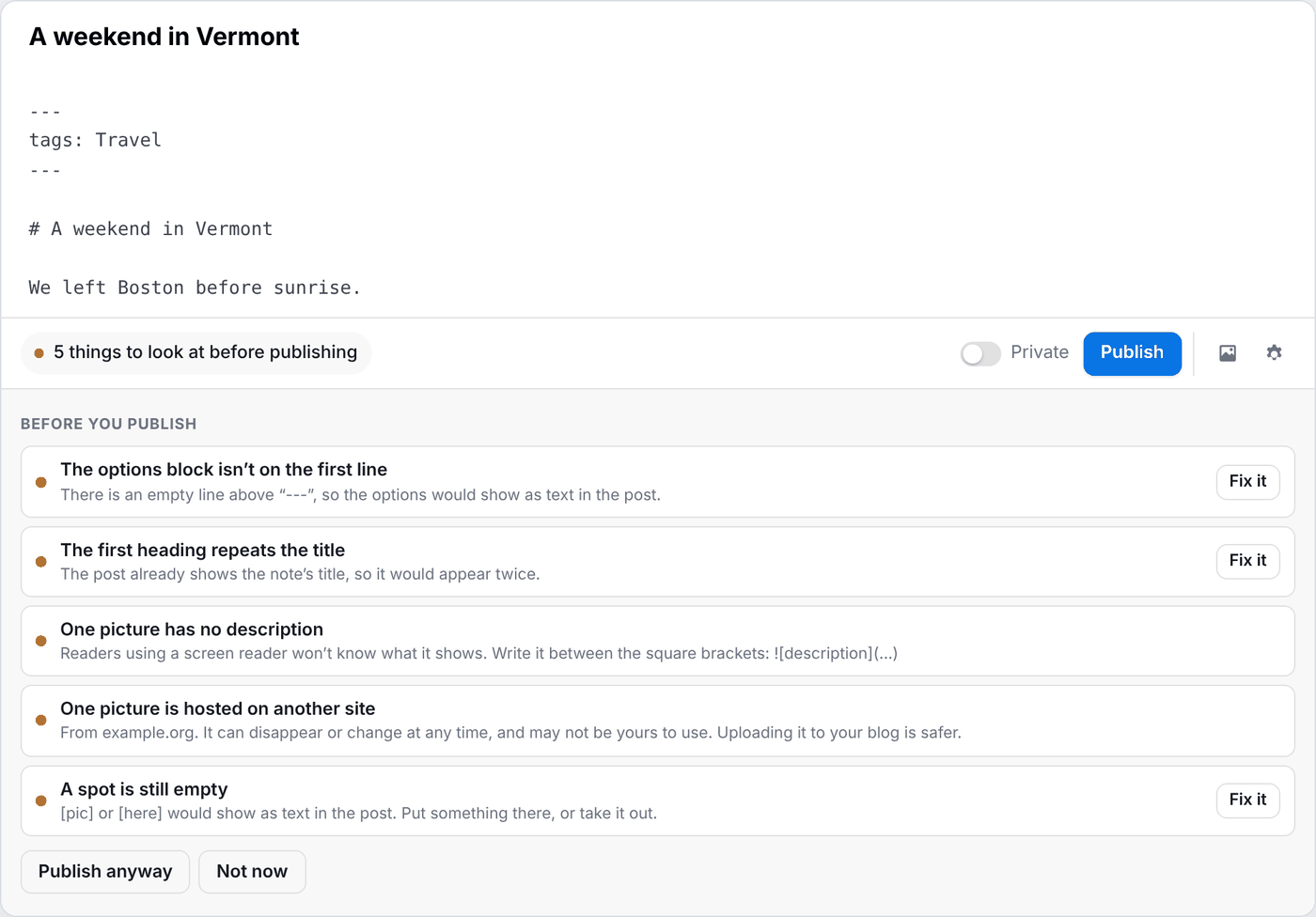
Most can be fixed with one press. And Publish anyway is always there: these are suggestions, not rules.
Built for phones
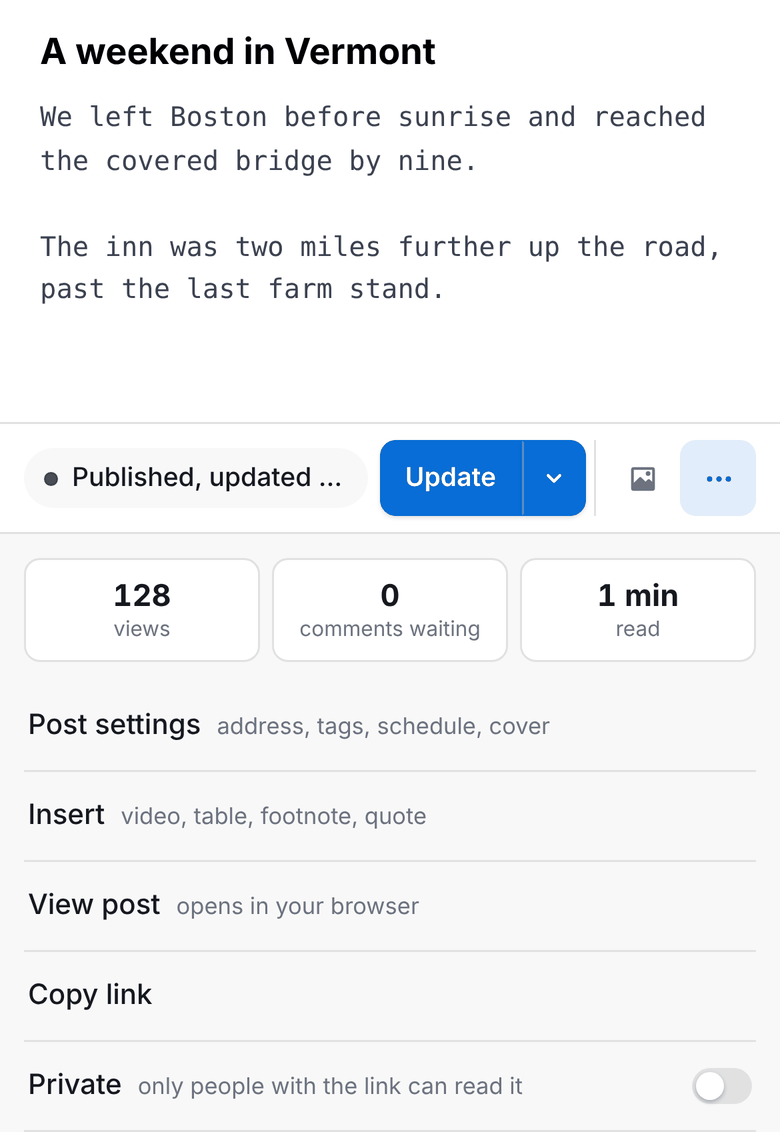
On a phone the bar is now one tidy row: your post's status, Publish, Pictures, and a ⋯ button. Everything else is in the sheet behind it, with rows big enough for a thumb. The bar stays still, and View opens your post in your own browser.
Advanced mode, with any plan
If your blog has a plan, open the plugin's settings (the gear) and switch from Basic to Advanced. A plan on one of your blogs covers every blog connected to the plugin.
Post settings without the typing
Set the address, description, tags, cover picture and publish time from a panel. The plugin writes the options block at the top of your note for you, and saves each change by itself.
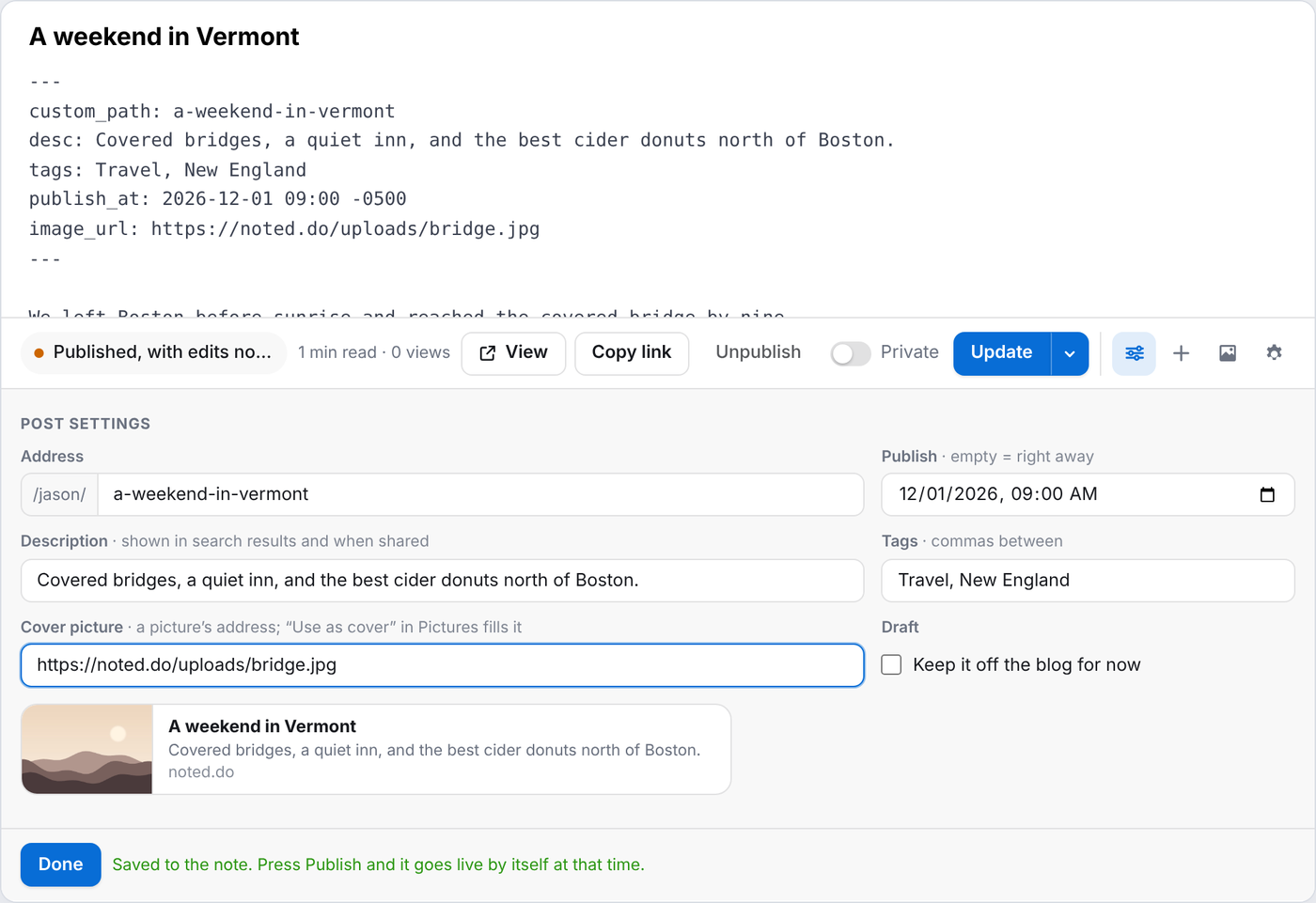
To schedule a post, pick a date and time, then press Publish. It goes live by itself.
Insert, right where you mean
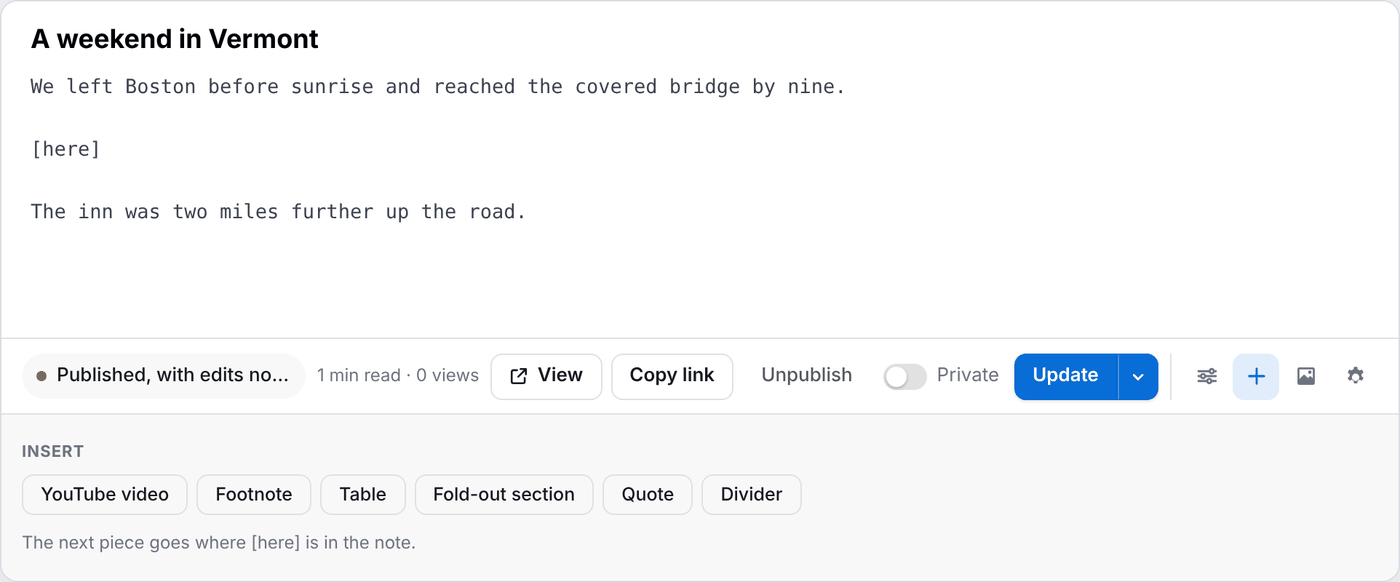
Type [here] in your note, then press Insert and choose a YouTube video, a table, a footnote, a fold-out section, a quote or a divider. It replaces [here] in place. For a video, paste its link and the plugin does the rest.
Your post's numbers on the bar
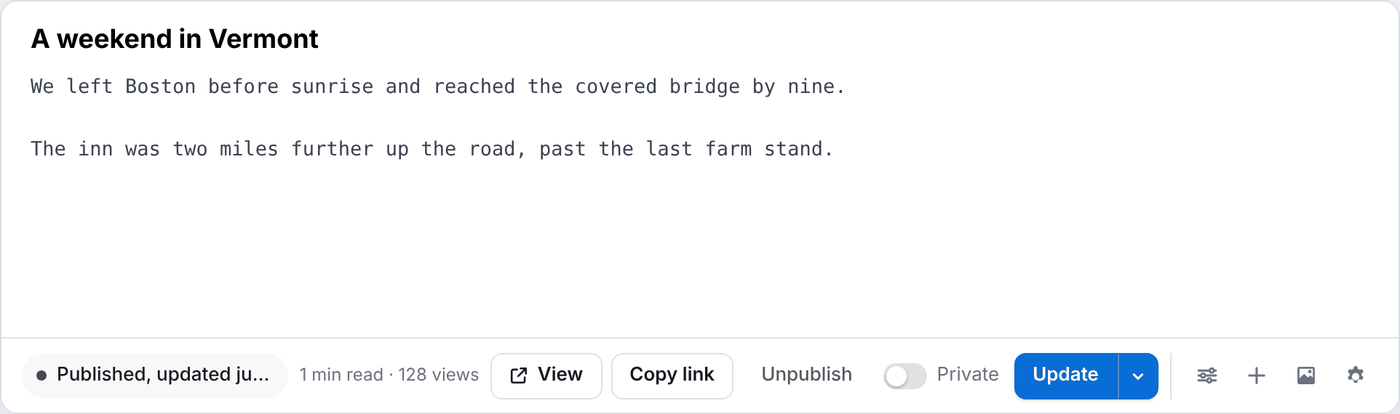
Reading time, views and comments waiting for approval, right next to the status, plus a Copy link button.
Prefer the old bar?
It's still here, as Blog Publisher Classic. Install it the same way you installed the plugin, with this address:
https://noted.do/plugin/legacy/ext.json
Paste your token into it, and switch the new one off under Quick Settings. Both publish to the same blog, so you can go back and forth. The address is also on your account page, under Standard Notes plugin.
If something isn't right
The new plugin was tested on desktop, iPhone and Android, but your setup may differ. If the bar ever shows an error, it now says what went wrong in plain words. Send us that message through the contact page and we'll fix it.
Happy writing.